Building Network Atlas Because a Diagram Should Not Need an Account
Why I built Network Atlas, a private offline network diagram tool that works without an account, subscription, or internet connection.
Why I built it
I wanted to map a network. I did not want to create another account, start a trial, hand over a diagram, or discover halfway through the job that the useful export button was part of a paid plan.
That ruled out more network diagram tools than it should have.
Some free tools are free until the diagram gets large enough to be useful. Others need an internet connection even though drawing boxes and lines does not require a server on the other side of the country. A few let you build the diagram and then limit how you can save or export it. I mean, you could use MS Paint.
Well, I got tired of working around those limits, so I built Network Atlas.
One file, opened locally
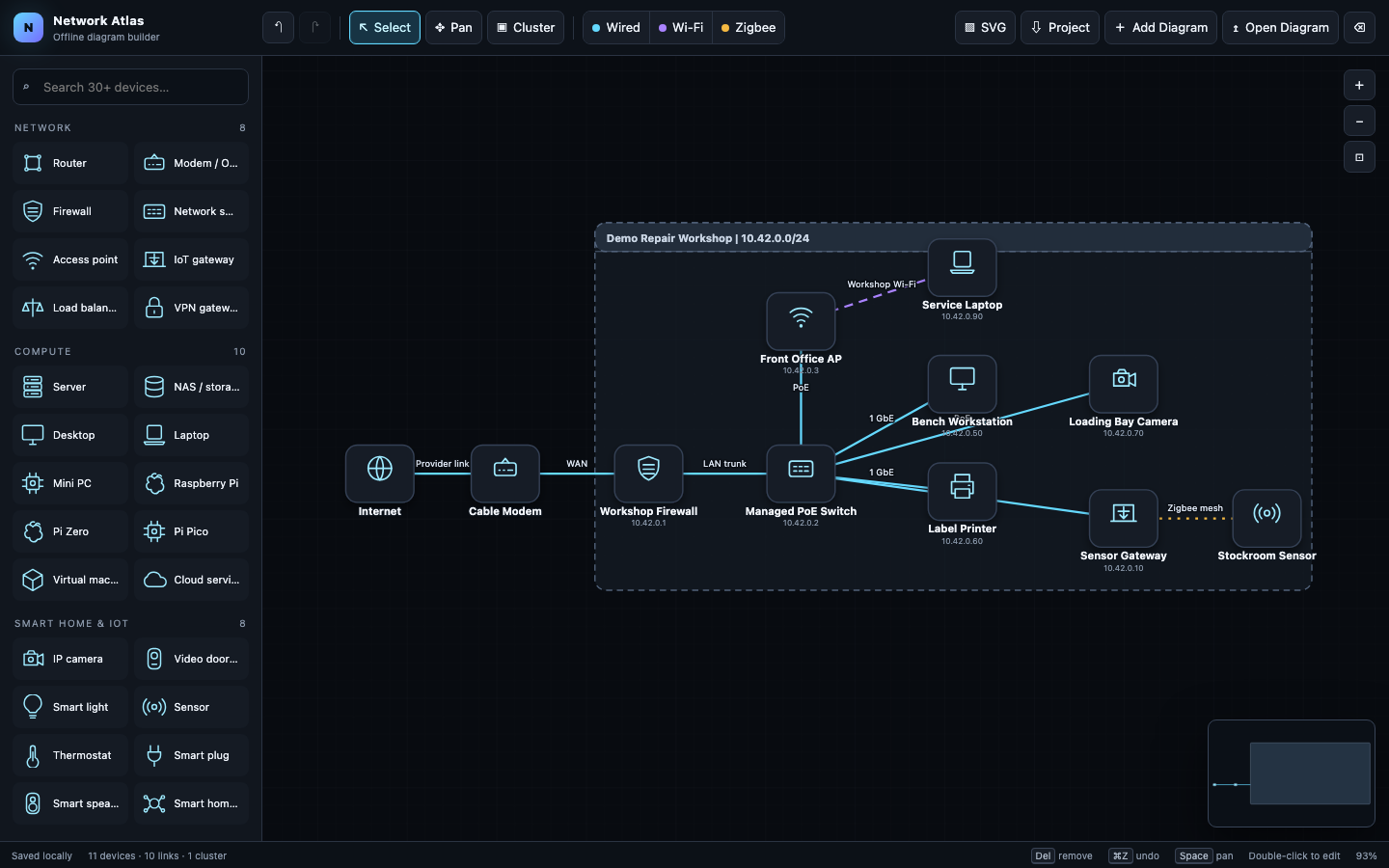
Network Atlas is a network diagram builder contained in one HTML file. There is no installer and no build process. I can download the file, open it in a browser, and start working.
It does not require an account, a subscription, analytics, or a connection to somebody else’s cloud service. The diagram stays in the browser unless I choose to export it.
The tool includes common network, computer, smart home, endpoint, and power devices. I can draw wired, Wi-Fi, and Zigbee connections, group equipment into named clusters, and add information to devices and links. It also has the ordinary editing tools I expect, including pan, zoom, selection, copy and paste, undo, and redo.
Projects can be exported as editable JSON files. Finished diagrams can also be exported as SVG images. That gives me a real backup and a useful image without locking the working file inside the application.
Mapping what was actually there
Building the diagram was only part of the job. I also needed to compare my assumptions with what was actually on the network.
I used nmap to help identify active systems and check the information I was putting into the diagram. Network Atlas did not scan anything itself. It gave me a place to organize the results and turn a list of findings into something I could understand at a glance.
This was useful while mapping the path from my ISP connection to the mesh network and then into the homelab network. That description is as specific as I am going to make it publicly. The current setup is complicated enough that calling it a design may be slightly generous. It is more like several reasonable decisions that met each other later.
The finished map made it easier to see where my notes were incomplete and where the layout had grown in ways I had not planned. That is the value of drawing it. A network can feel perfectly understandable when every part was added one at a time. Put the whole thing on one page, and it starts asking questions.
Keeping the diagram private
A network map can contain device names, addresses, connection details, and notes that do not belong on a third-party service. I wanted the default behavior to be simple: keep the data on the computer where I opened the tool.
Network Atlas saves the current working diagram in browser storage for convenience. For an actual backup, I export the project JSON and store it where I choose. The application does not upload the diagram or contact a server.
This also means I can use it when the internet is unavailable, which seems like a reasonable requirement for a tool that may be used while troubleshooting the network providing that internet connection.
What I learned from building it
Keeping the project in one HTML file forced me to be careful about what it actually needed. I did not add a framework, login system, database, or cloud sync because none of those things help me place a router on a canvas and connect it to a switch.
The harder work was in the editing behavior. Devices need to move without fighting the canvas. Connections need to stay attached. Undo needs to undo the thing I just did. Imports need to preserve existing work instead of quietly replacing it. Those details are what separate a useful tool from a screenshot that happens to have buttons around it.
Network Atlas is now useful for the reason I built it. I can open it locally, map a network, export the result, and close it without asking permission from a service or checking which features are still included in the free plan.
The project is available on GitHub. It is open source, works offline, and includes fictional sample data, so nobody has to start with a completely empty canvas (unless you are into that).